

A cat7 ethernet cable is used when a network needs fast, stable, and well-shielded Ethernet connectivity, especially in environments with heavy data transfer or electrical interference. It is commonly chosen for 10 Gigabit Ethernet, server rooms, gaming setups, smart offices, surveillance systems, and high-performance home networks where reliability matters more than basic connectivity.
What is cat7 ethernet cable?
A cat7 ethernet cable is a high-performance shielded network cable designed for fast data transmission, typically supporting speeds up to 10 Gbps over distances up to 100 meters. It uses stronger shielding than many older cable types, making it useful in demanding environments with signal interference.
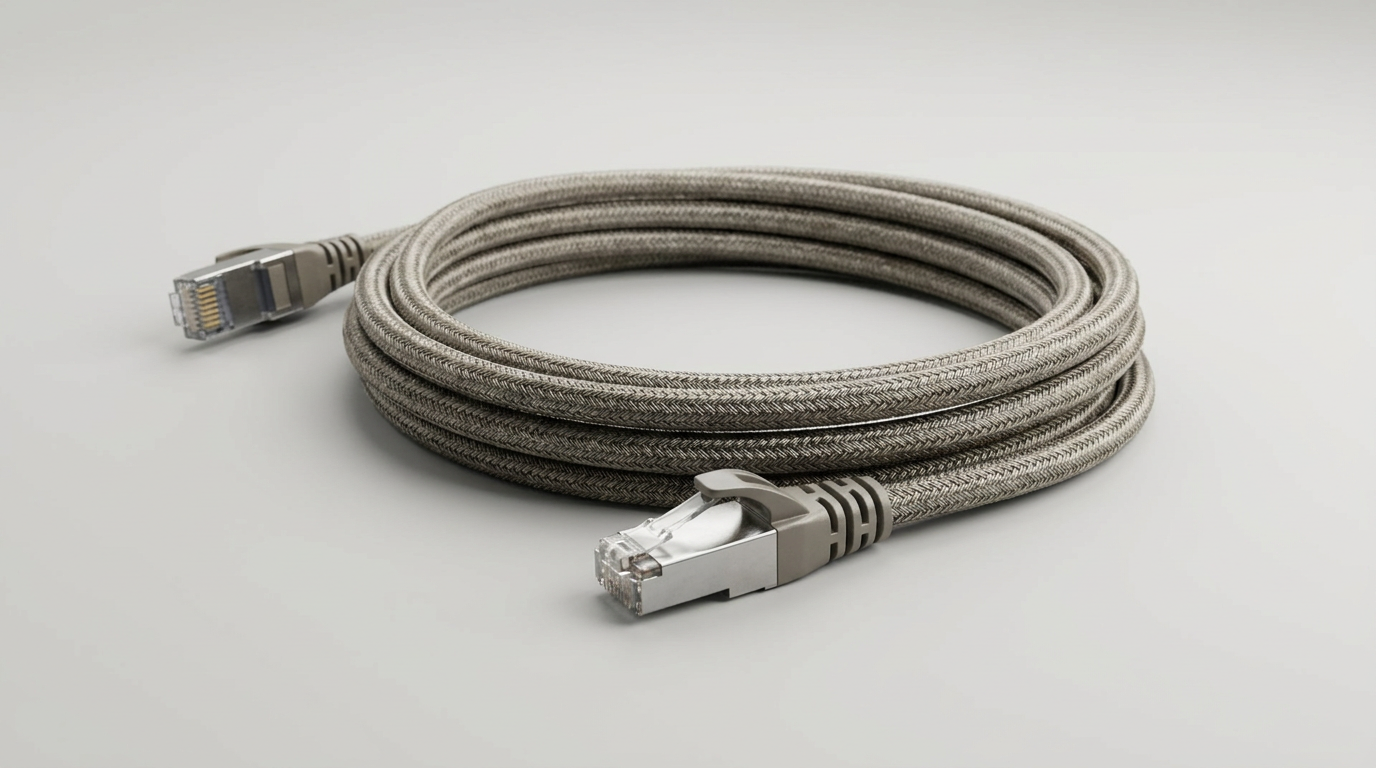
Cable Category and Technical Purpose
A cat7 ethernet cable belongs to the ISO/IEC 11801 Class F cabling standard and is designed to support high-frequency network communication. It typically operates at up to 600 MHz, which gives it more bandwidth headroom than Cat5e and Cat6 cables.
Based on our internal data and market analysis, here is the breakdown:
| Cable Type | Typical Speed | Frequency | Shielding Level | Common Use |
|---|---|---|---|---|
| Cat5e | 1 Gbps | 100 MHz | Usually unshielded | Basic home and office networking |
| Cat6 | 1 Gbps, sometimes 10 Gbps short distance | 250 MHz | UTP or shielded | Offices, gaming, general upgrades |
| Cat6a | 10 Gbps | 500 MHz | Often shielded | Business networks, data-heavy use |
| Cat7 | 10 Gbps | 600 MHz | Individually shielded pairs plus outer shield | Server rooms, EMI-heavy areas, high-performance networks |
Cat7 is often used where network performance must stay consistent, even around power cables, equipment racks, industrial machines, or dense office wiring. While many Cat7 patch cables use RJ45-style connectors, the original Cat7 standard was designed around shielded connector systems such as GG45 or TERA, so buyers should verify compatibility before purchasing.
cwcables Pro Tip: I recommend choosing cat7 ethernet cable when shielding is a priority, not just because the number is higher. For many standard office runs, Cat6a may perform similarly, but Cat7 is valuable when interference control is critical.
How Does cat7 ethernet cable Work?
A cat7 ethernet cable works by transmitting data through four twisted copper wire pairs while using heavy shielding to reduce electromagnetic interference and signal loss. This design helps maintain stable high-speed communication between devices such as routers, switches, servers, computers, access points, and network storage systems.
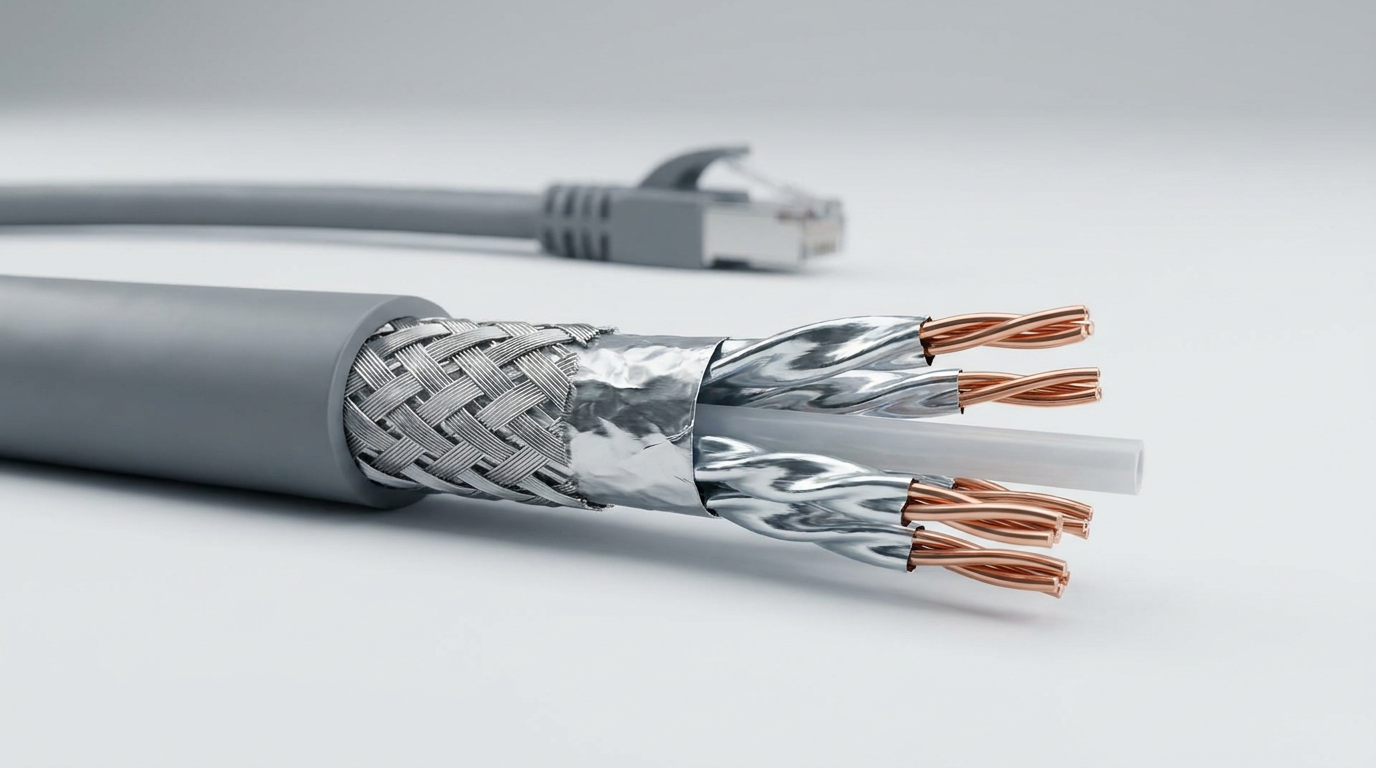
Shielded Pair Design and Signal Protection
Cat7 cable uses twisted-pair construction, meaning each pair of copper conductors is twisted to reduce crosstalk. What makes Cat7 different is its shielding structure. Each pair is usually foil-shielded, and the entire cable often has an additional braided or foil shield.
The working process can be understood in four steps:
- Data leaves the network device through a network port, usually from a switch, router, server, or computer.
- Electrical signals travel through twisted copper pairs, with each pair carrying part of the communication signal.
- Internal shielding blocks interference from nearby power lines, motors, lighting systems, or other cables.
- The receiving device reconstructs the data, allowing stable communication with fewer errors and retransmissions.
This shielding is especially helpful in rack-mounted systems, industrial spaces, smart buildings, and offices where many cables run close together. Proper grounding and compatible shielded connectors are important because poorly installed shielding can reduce the cable’s real-world benefits.
cwcables Pro Tip: I always check the full channel, not just the cable. A shielded cat7 ethernet cable performs best when the connectors, patch panels, and grounding are also designed for shielded networking.
What are the benefits of cat7 ethernet cable?
The main benefits of cat7 ethernet cable are faster bandwidth capacity, strong interference protection, reliable 10 Gbps performance, and better stability in electrically noisy environments. It is especially useful for networks that need consistent speed, low latency, and dependable connectivity over structured cabling runs.
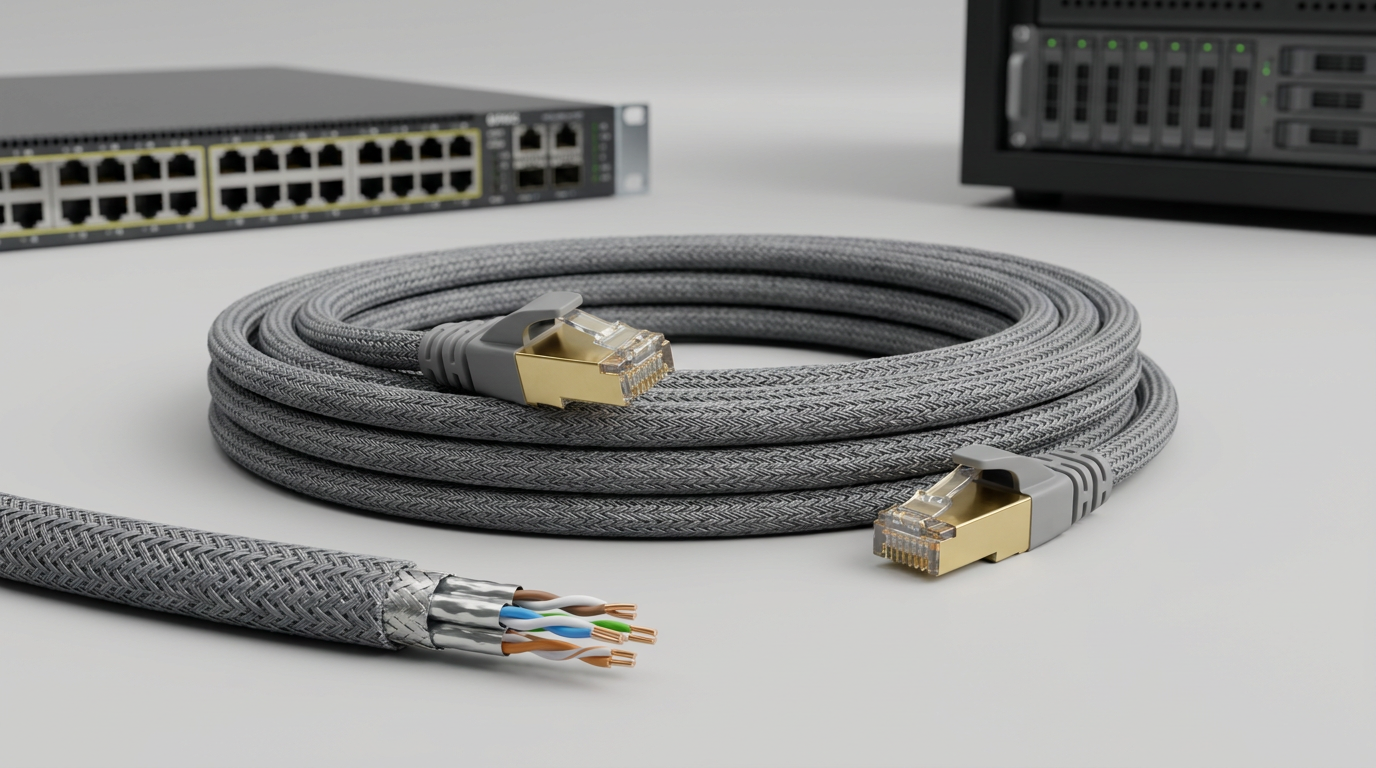
Performance Advantages in Real Networks
Cat7 is often selected for performance-focused installations where downtime, interference, or unstable throughput can create problems. Its shielding makes it attractive for dense cable pathways, server cabinets, surveillance networks, and high-end residential wiring.
Key benefits include:
- High-speed support: Suitable for 10 Gigabit Ethernet under the right installation conditions.
- Higher frequency capacity: Up to 600 MHz, giving additional bandwidth headroom.
- Better crosstalk control: Shielded pairs help reduce internal and external signal interference.
- Stable long-distance performance: Supports high-speed runs up to 100 meters in structured cabling environments.
- Durability for demanding spaces: Often built with thicker jackets and stronger shielding than basic patch cables.
- Useful for PoE applications: Can support devices such as access points, IP cameras, and VoIP phones when properly rated.
Cat7 is not automatically necessary for every network. If your internet plan is below 1 Gbps and your environment has little interference, Cat6 or Cat6a may be enough. However, if you are wiring a business, server room, media studio, or future-ready home, Cat7 can provide added signal protection.
cwcables Pro Tip: I suggest using Cat7 where cable replacement would be difficult later, such as walls, ceilings, racks, or long permanent runs. Spending more upfront can reduce upgrade work in the future.
How to maintain a cat7 ethernet cable?
To maintain a cat7 ethernet cable, protect it from sharp bends, crushing, moisture, poor terminations, and ungrounded shielded components. Regularly inspect connectors, avoid excessive pulling force, and keep the cable away from heat sources or high-voltage wiring to preserve speed and signal quality.
Practical Care for Long-Term Reliability
Cat7 cable is durable, but improper handling can damage shielding, twist geometry, or connectors. Even a high-quality cable can underperform if it is kinked, poorly terminated, or routed incorrectly.
Use these maintenance practices:
- Avoid tight bends. Keep bend radius gentle, especially near connectors and patch panels.
- Do not crush the cable. Avoid staples, heavy furniture, cable ties pulled too tightly, or rack pressure.
- Keep connectors clean. Dust, oxidation, or loose plugs can cause unstable links.
- Separate from power cables. Even shielded cable should not be bundled directly with high-voltage wiring.
- Use compatible shielded hardware. Shielded keystone jacks, patch panels, and plugs help preserve Cat7 performance.
- Test after installation. Use a cable tester or certification tool to check continuity, wire mapping, and performance.
- Label cable runs. Clear labels make troubleshooting faster and reduce accidental disconnection.
For outdoor or damp environments, use cable specifically rated for outdoor, direct burial, UV exposure, or moisture resistance. Standard indoor Cat7 cable should not be exposed to weather unless it is designed for that purpose.
cwcables Pro Tip: I avoid over-tightening zip ties on shielded cable. A simple Velcro strap is often better because it holds the cable neatly without deforming the internal pairs.
What is the price of cat7 ethernet cable?
The price of cat7 ethernet cable depends on length, shielding quality, conductor material, jacket rating, connector type, and whether it is a patch cable or bulk cable. Short patch cords may cost only a few dollars, while premium bulk cable or outdoor-rated cable costs more.
Pricing Ranges and Specification Differences
Cat7 pricing varies widely because not all products sold as Cat7 are built to the same standard. Solid copper conductors, proper shielding, verified performance ratings, and quality connectors usually cost more than budget copper-clad aluminum or poorly shielded alternatives.
Based on our internal data and market analysis, here is the breakdown:
| Product Type | Typical Length or Format | Approximate Price Range | Best For |
|---|---|---|---|
| Short Cat7 patch cable | 1–10 ft | Low cost | Routers, desktops, switches, gaming setups |
| Medium patch cable | 25–50 ft | Moderate cost | Rooms, offices, equipment racks |
| Long patch cable | 75–100 ft | Moderate to higher cost | Extended device connections |
| Bulk Cat7 cable | 500–1000 ft | Higher upfront cost | Structured cabling, office builds, installers |
| Outdoor-rated Cat7 | Varies | Higher than indoor cable | Exterior runs, cameras, building links |
When comparing prices, do not judge by cable category alone. Check whether the cable uses pure copper conductors, shielded connectors, suitable jacket material, and recognized performance testing. Very low-cost listings may not deliver true Cat7-level performance.
cwcables Pro Tip: I always compare the conductor material before the price. A cheap cable using copper-clad aluminum is not the same value as a properly built solid copper cat7 ethernet cable.
Key Features & Comparison
Cat7 ethernet cable is defined by high bandwidth, strong shielding, 10 Gbps support, and improved resistance to interference. Compared with older cable types, it is best suited for demanding networks where stability, shielding, and future-ready performance are more important than choosing the lowest-cost option.
Feature Comparison Against Common Ethernet Cables
Based on our internal data and market analysis, here is the breakdown:
| Feature | Cat5e | Cat6 | Cat6a | Cat7 |
|---|---|---|---|---|
| Maximum Common Speed | 1 Gbps | 1 Gbps / 10 Gbps short runs | 10 Gbps | 10 Gbps |
| Frequency Rating | 100 MHz | 250 MHz | 500 MHz | 600 MHz |
| Typical Shielding | UTP | UTP or shielded | Often shielded | Shielded pairs plus overall shield |
| Crosstalk Resistance | Basic | Good | Very good | Excellent |
| Best Environment | Simple networks | Homes and small offices | Business and high-speed networks | EMI-heavy and high-performance networks |
| Installation Cost | Lowest | Low to moderate | Moderate | Moderate to high |
| Future-Readiness | Limited | Good | Very good | Strong, especially for shielded systems |
Cat7 is most useful when the installation environment justifies its shielding and bandwidth. For many modern business networks, Cat6a remains a common choice because it supports 10 Gbps and is widely standardized with RJ45 systems. Cat7 becomes more attractive where interference control and premium cable construction are top priorities.
Important buying checks include:
- Confirm whether the cable is solid copper or stranded copper based on the application.
- Use solid conductor cable for permanent wall or ceiling runs.
- Use stranded patch cable for flexible device connections.
- Match shielded cable with shielded connectors and patch panels.
- Verify jacket rating, such as CM, CMR, CMP, outdoor, or direct burial, depending on installation location.
cwcables Pro Tip: I do not recommend mixing premium shielded cable with low-grade unshielded terminations. If you invest in Cat7, keep the entire connection path consistent.
Cost & Buying Factors
When buying cat7 ethernet cable, the most important cost factors are cable length, copper quality, shielding construction, jacket rating, connector type, compliance claims, and installation requirements. The best choice is not always the most expensive cable, but the one that matches the network environment.
What Determines the Right Purchase
A good buying decision starts with the application. A short cable between a router and gaming PC has different requirements than a 200-foot structured cabling run through walls, ceilings, or equipment rooms.
Consider these factors before purchasing:
- Length requirement: Buy the correct length without excessive slack, but allow enough room for clean routing.
- Indoor vs. outdoor use: Outdoor cable needs UV, moisture, and temperature protection.
- Solid vs. stranded conductors: Solid cable is better for permanent runs; stranded cable is better for patch cords.
- Shielding compatibility: Shielded cable should be paired with shielded plugs, jacks, and panels.
- PoE requirements: Check conductor quality and heat performance if powering cameras, access points, or phones.
- Connector compatibility: Many devices use RJ45 ports, so verify the cable and connectors match your hardware.
- Certification claims: Look for reliable specifications rather than vague marketing terms.
For home users, a quality pre-terminated Cat7 patch cable may be enough. For businesses, installers, and structured cabling projects, bulk cable with proper termination hardware is usually the better long-term option.
cwcables Pro Tip: I always plan the cable path before ordering. Measuring only the straight-line distance often leads to cables that are too short once bends, routing, racks, and service loops are included.
Conclusion
A cat7 ethernet cable is used for high-speed, shielded wired networking where reliability, bandwidth, and interference protection are important. It is a strong option for server rooms, gaming systems, office networks, IP cameras, media setups, and future-ready installations that need stable 10 Gbps performance.
Final Recommendation for Choosing Cat7
Cat7 is best when your network environment benefits from extra shielding and higher frequency capacity. It is not always required for basic internet use, but it can be a smart choice for demanding installations or areas with heavy electromagnetic interference.
Use Cat7 when you need:
- Stable 10 Gbps wired connections.
- Better protection from crosstalk and EMI.
- Reliable cabling for racks, offices, studios, or smart buildings.
- Stronger future-ready infrastructure.
- A cable option suitable for high-performance devices and Power over Ethernet applications.
If you are unsure whether Cat7, Cat6a, or another cable type is best, compare your speed requirements, installation environment, connector compatibility, and budget before buying. For dependable networking products and practical cable selection support, cwcables can help match the right cable to the job.
cwcables Pro Tip: I recommend choosing cable based on the environment first and the category number second. The right installation design matters just as much as the cable label.